Tutorial: Installing IIS and DNS on Windows 2008
Access the server through remote desktop . Then Click Start >> Administrative Tools >> Server Manager
[image source="https://www.hostdime.com/resources/images/installing-iis-dns-windows-server-2008/ServerMabager.png " hovertext=" "]
Click On Roles and then Click On Add Roles.
[image source="https://www.hostdime.com/resources/images/installing-iis-dns-windows-server-2008/ClickAddRoles.png " hovertext=" "]
Click Next until you get to the screen below. Check mark DNS Server and Web Server IIS
[image source="https://www.hostdime.com/resources/images/installing-iis-dns-windows-server-2008/SelectRoles.png " hovertext=" "]
Click Next and then check mark every box for Web Server IIS
[image source="https://www.hostdime.com/resources/images/installing-iis-dns-windows-server-2008/ChooseAllServices.png " hovertext=" "]
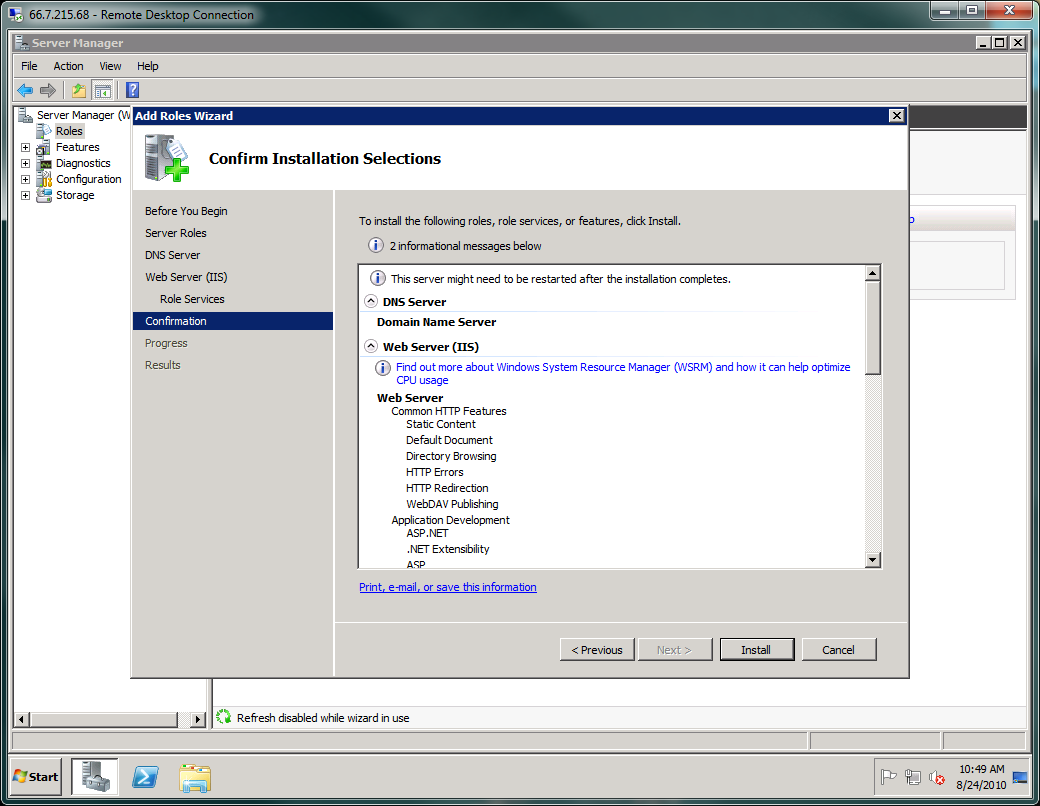
Click Next then click Install to complete this task.