Versions Compared

Key

  • This line was added.
  • This line was removed.
  • Formatting was changed.

How to Block a Whole Country Via CSF


In the event you need to block a whole country, this can be done via the CC_DENY option located within ConfigServer Security & Firewall.


    1. Log into WHM as root


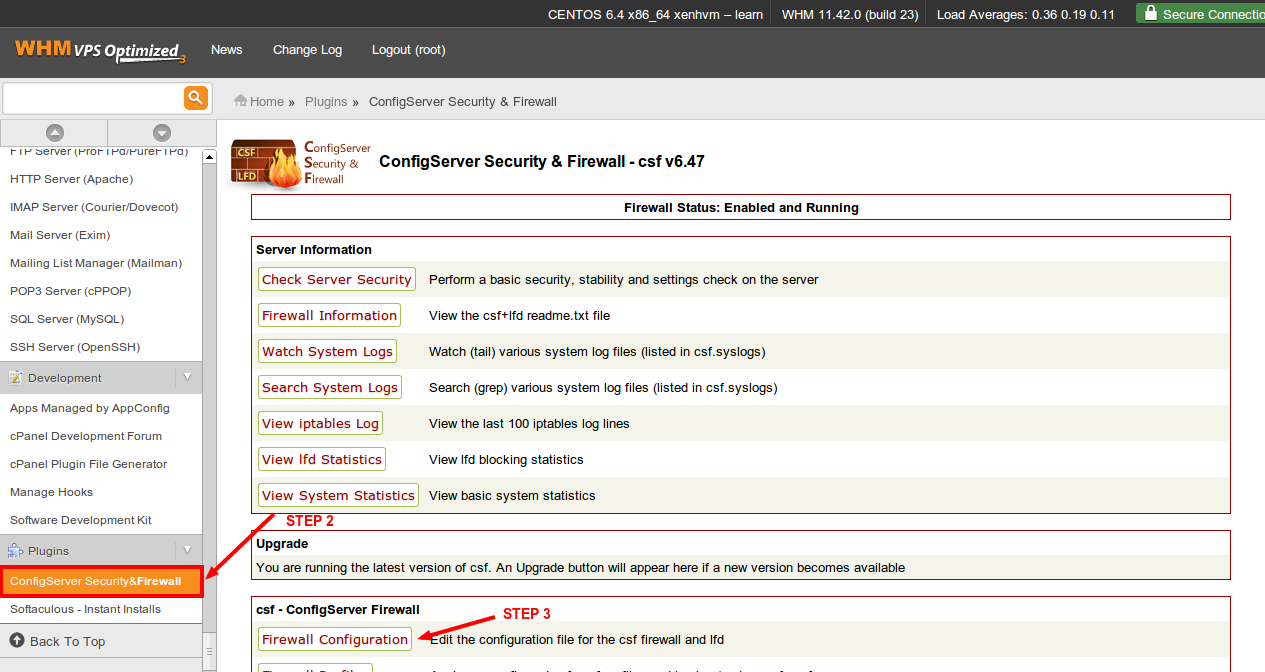
    1. Click on the “ConfigServer Security & Firewall” link within the “Plugins” section.


    1. Click on the “Firewall Configuration” button.

    CSF CC_DENY 1Image Removed
    1. Image Added


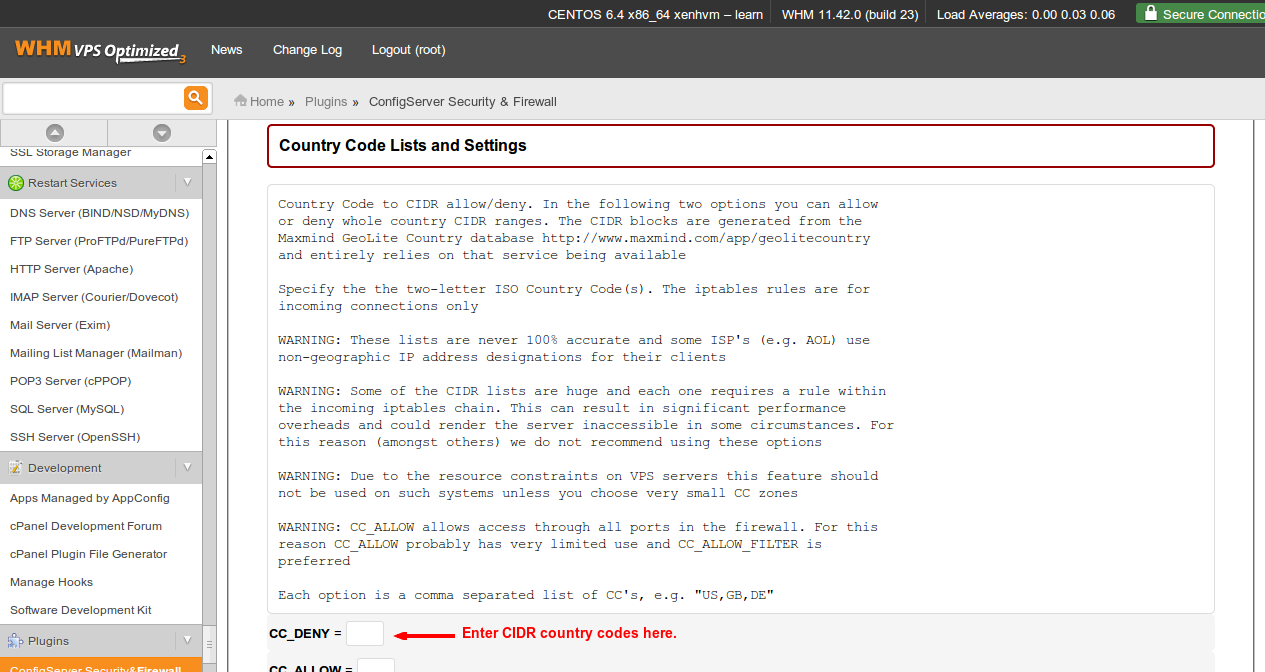
    1. Search for the “Country Code List and Settings” section.


    1. Enter in the 2 letter CIDR country code you would like to block within the CC_DENY section.

    CSF CC_DENY 2Image Removed
    1. Image Added


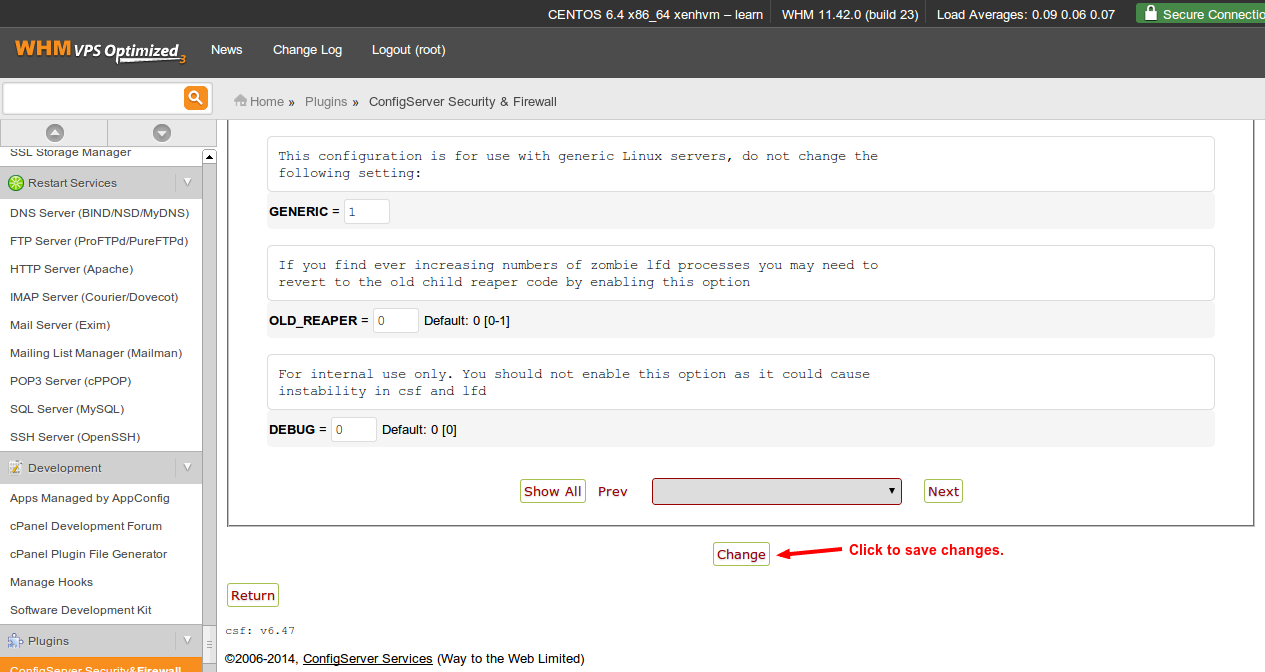
    1. Scroll down to the very bottom and click the “Change” button.

    CSF CC_DENY 3Image Removed
    1. Image Added


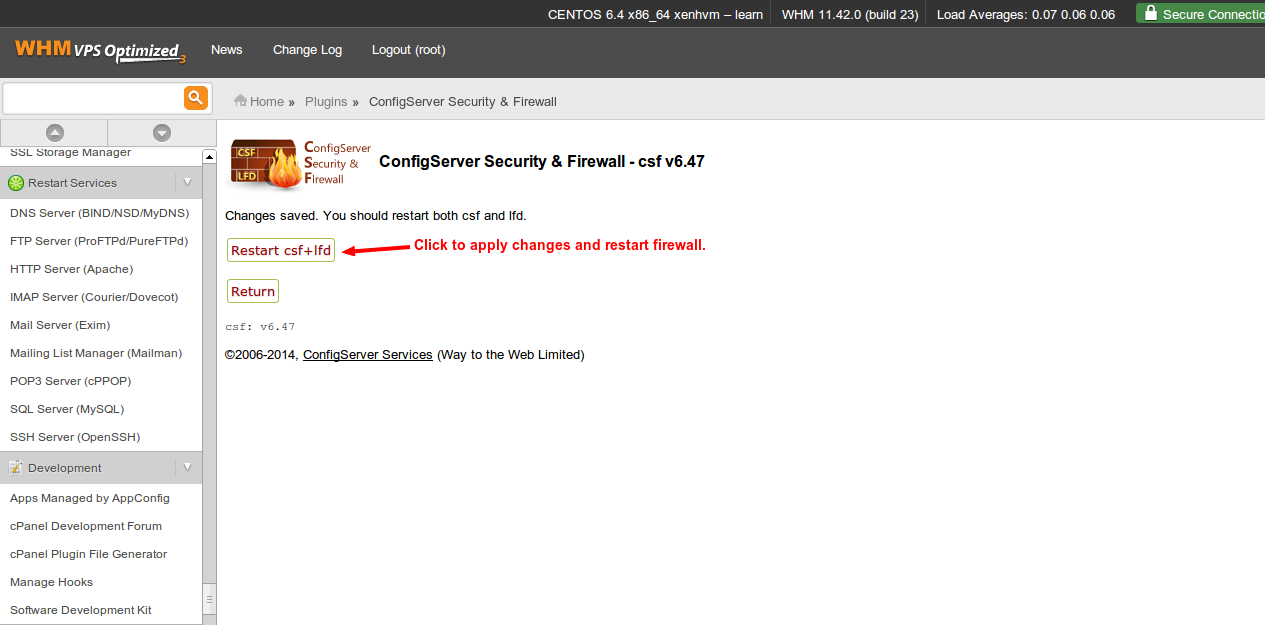
    1. Click the “Restart csf+lfd” button to apply the changes and restart the firewall.

    CSF CC_DENY 4Image Removed
    1. Image Added


From here the country or countries added will no longer be able to access the server.