...
The default PHP on our Shared and Reseller servers has been 5.6 for some time. As of December 31st, 2018, PHP 5.6 will no longer be receiving security updates, and will no longer be supported as it moves to end-of-life. On December 3rd, 2018, PHP 7.0 similarly moved to end-of-life and will also no longer be supported. In order to ensure the standards on our shared servers are up-to-date and secure, we will be changing the default PHP version on our Shared and Reseller servers to 7.2 starting shortly after January 1, 2019. This will be done gradually, and any affected clients will receive a notification at least two weeks in advance with the scheduled date and time of the change on a server their account is on.
| Table of Contents |
|---|
Who This Affects
We are only changing the default PHP version on the server, and not the PHP versions available on the server. This means that only domains with their PHP version set to inherit will be affected in any way by this change. If a site is using up-to-date CMS software such as WordPress or Joomla with up-to-date plugins, modules, etc., there's a strong chance that going from PHP 5.6 to 7.2 won't cause any issues at all.
...
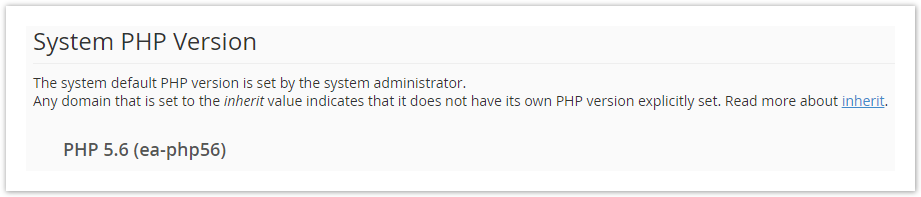
Above the list of domains, on the top of the MultiPHP Manager page, you will find the current default version of PHP on the server. It is referred to as the System PHP Version as shown below:
Changing a Domain's PHP Version
Since the System PHP Version is changing from 5.6 to 7.2, you may need to revert the PHP version for your domain back to 5.6 to maintain functionality of your site software. If you do wish to keep a domain on PHP 5.6, you can specify its PHP version in cPanel as shown below.
...
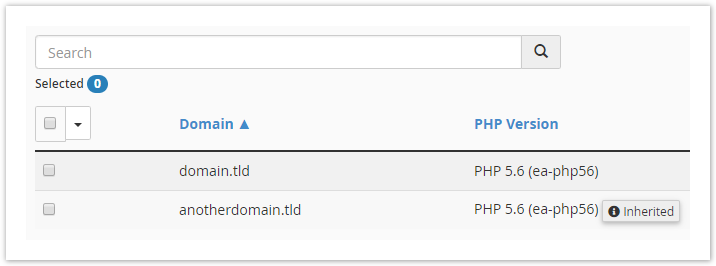
The altered domains should now reflect the updated PHP version accordingly in the list:
Further Assistance
As always, if you have any other questions or concerns about this change, or anything else mentioned in this article, please don't hesitate to reach out to our 24/7 Technical Support team via ticket, live chat, or phone call.
...